






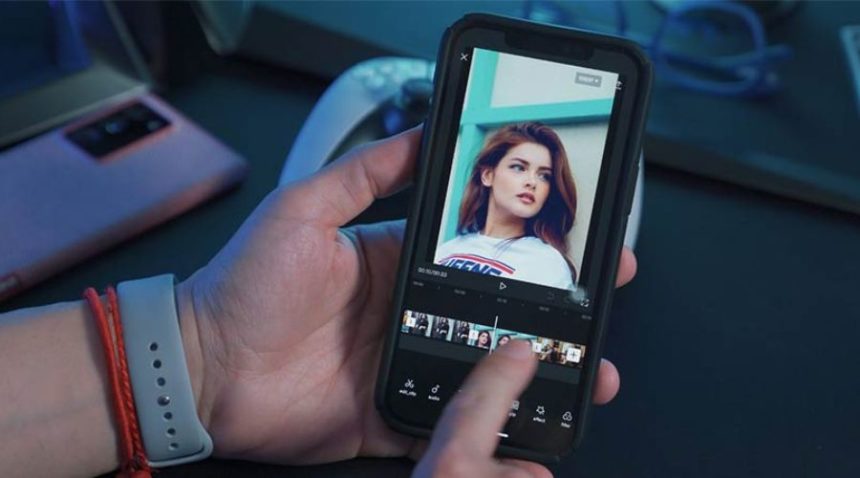
In the fast-paced world of social media, content is king. Whether you’re a professional influencer, a small business owner, or simply someone who loves sharing their creativity online, having the right tools at your fingertips can make all the difference. High-quality visuals, engaging videos, and eye-catching designs can significantly boost your social media presence. This is where mobile editing apps come into play.
With the rise of smartphones, professional-level content creation is now more accessible than ever. The best mobile editing apps allow you to edit photos, create videos, design graphics, and enhance your social media posts—all from your phone. In this blog, we will explore some of the top mobile editing apps that can help you edit like a pro.
1. Adobe Lightroom – Best for Photo Editing
If you’re looking for a powerful photo editing tool, Adobe Lightroom is one of the best mobile editing apps available. This app offers professional-grade tools, such as exposure adjustments, color grading, and preset filters, making it perfect for enhancing social media photos.
Key Features:
- Advanced editing tools like curves and color mix
- AI-powered enhancements
- Cloud sync with desktop versions
- One-tap presets for quick editing
Lightroom is ideal for influencers, photographers, and content creators who want to achieve a polished and cohesive aesthetic on their social media profiles.
2. VSCO – Best for Aesthetic Filters
VSCO is a popular mobile editing app for social media users seeking stunning, film-like filters. With its intuitive interface, it offers trendy presets and advanced editing tools for effortless photo enhancement. Perfect for creating a cohesive aesthetic, VSCO helps elevate your social media visuals with ease.
Key Features:
- Large collection of stunning filters
- Manual editing tools for brightness, contrast, and saturation
- Built-in community for sharing edited images
- Video editing with VSCO premium
If you’re looking for an app that gives your photos a trendy, cinematic feel, VSCO is a great choice.
3. Snapseed – Best for Advanced Image Retouching

Google’s Snapseed is one of the most feature-rich mobile editing apps for photo enhancement. It offers powerful tools like selective editing, healing brushes, and professional-grade filters that can transform ordinary images into stunning social media posts.
Key Features:
- 29 professional tools and filters
- Selective adjustments and masking
- High-quality export options
- RAW file editing
Snapseed is an excellent option for those who want precision in their photo edits without paying for expensive software.
4. Canva – Best for Graphic Design
When it comes to creating social media graphics, stories, and banners, Canva is one of the top mobile editing apps available. It’s a must-have for anyone who wants to create visually appealing posts without needing advanced design skills.
Key Features:
- Thousands of templates for Instagram, Facebook, TikTok, and more
- Drag-and-drop design tools
- Access to free stock images, fonts, and elements
- Easy collaboration for team projects
Canva is perfect for businesses, bloggers, and marketers who want to create high-quality graphics quickly.
5. InShot – Best for Video Editing
InShot is a top mobile editing app for video creators, offering powerful tools for TikToks, Instagram Reels, and YouTube Shorts. With features like trimming, transitions, filters, and music integration, it’s perfect for crafting high-quality, engaging social media videos effortlessly.
Key Features:
- Trim, cut, and split videos easily
- Add music, voiceovers, and sound effects
- Apply filters, transitions, and text animations
- High-resolution export options
With its user-friendly interface and professional features, InShot is one of the best mobile editing apps for social media video content.
6. CapCut – Best for Advanced Video Effects
CapCut, created by TikTok’s developers, is a powerful mobile editing app for social media videos. It features a vast collection of effects, animations, and filters, making it easy to create dynamic, engaging content for TikTok, Reels, and other platforms.
Key Features:
- AI-powered background remover
- Smooth transitions and video effects
- Speed control for slow-motion and time-lapse videos
- Built-in music library
If you want to create viral-worthy videos with trendy effects, CapCut is a fantastic choice.
7. Adobe Premiere Rush – Best for Professional Video Editing
Adobe Premiere Rush is a top mobile editing app for creators seeking professional-quality videos. It offers powerful editing tools, multi-track timelines, advanced transitions, and precise controls. Ideal for YouTubers and social media influencers, it ensures high-quality video production directly from your phone, anytime, anywhere.
Key Features:
- Multi-track video editing
- Advanced transitions and color correction
- Cloud sync with Adobe Creative Cloud
- High-quality export settings
Adobe Premiere Rush is perfect for YouTubers, vloggers, and content creators looking for a more professional video editing experience.
8. PicsArt – Best for Creative Editing
PicsArt is a dynamic mobile editing app that blends photo and video editing with creative tools. Perfect for social media, it offers artistic effects, collages, stickers, and filters. Whether enhancing images or designing unique visuals, PicsArt makes content creation fun, engaging, and effortless.
Key Features:
- AI-powered background removal
- A vast library of stickers, effects, and text tools
- Collage maker and drawing tools
- Video editing with animated effects
PicsArt is ideal for those who want to experiment with unique and eye-catching designs.
9. Facetune – Best for Selfie Enhancements
For those who love taking selfies, Facetune is a must-have mobile editing app. It allows users to retouch their photos with tools for skin smoothing, teeth whitening, and other facial enhancements.
Key Features:
- AI-powered skin retouching
- Background blurring for professional portraits
- Reshaping tools for perfecting selfies
- Easy-to-use one-tap filters
Facetune helps users create flawless images, making it a favorite among influencers and social media personalities.
10. Unfold – Best for Instagram Stories
Unfold is a top mobile editing app for crafting stylish and engaging Instagram Stories. It offers elegant templates, custom fonts, and sleek layouts, making social media storytelling effortless. Perfect for influencers and brands, Unfold helps create visually stunning content that stands out on any platform.
Key Features:
- Elegant templates for stories and reels
- Font customization and text overlays
- Easy-to-use interface
- High-resolution exports
Unfold is an excellent choice for brands and influencers who want to maintain a cohesive Instagram aesthetic.
Conclusion
Choosing the right mobile editing apps can significantly enhance your social media content, helping you achieve a professional and polished look. Whether you require high-quality photo editing with Adobe Lightroom or Snapseed, trendy filters from VSCO, or stunning graphic designs from Canva, there is an app suited to your needs. For video creators, InShot and CapCut provide powerful yet user-friendly editing tools, while Adobe Premiere Rush offers advanced features for professional video production. If you enjoy creative and artistic edits, PicsArt is a fantastic option, while Facetune is perfect for refining selfies. For seamless Instagram storytelling, Unfold provides elegant templates and design elements.
FAQs