


In the world of digital design, photo editing plays a crucial role in content creation. Whether you’re a professional graphic designer, a photographer, or a casual user, finding the right editing tool is essential. Photoshop vs Online Editors has been an ongoing debate, with both options having their strengths and weaknesses.
With the advancement of technology, online editors have emerged as a strong competitor to Adobe Photoshop. These cloud-based tools offer convenience and accessibility, while Photoshop remains the industry standard for professional-grade editing. In this blog, we will compare Photoshop vs Online Editors, highlighting their features, pros, and cons to help you make an informed choice.
1. Introduction to Photoshop
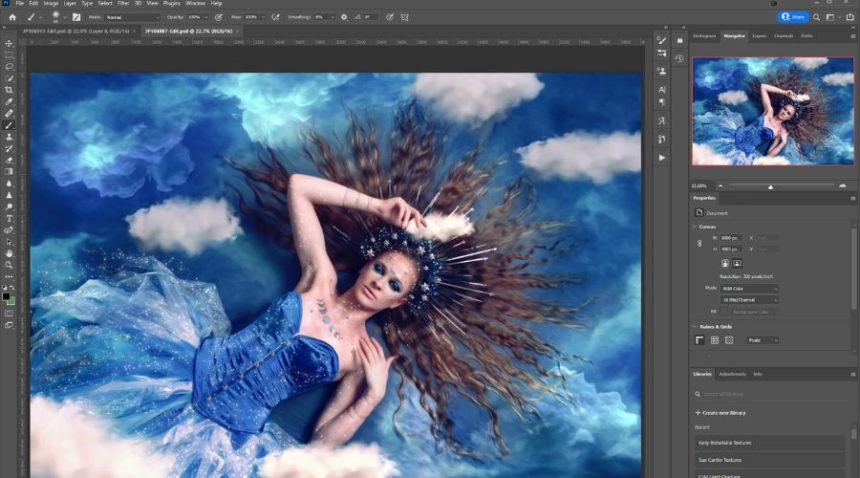
Adobe Photoshop is a premium software used for advanced photo and graphic editing. It provides a vast array of tools, from basic cropping and retouching to intricate manipulations and digital painting. Photoshop has been the go-to solution for professionals for over three decades due to its robust functionality.
Key Features of Photoshop:
- Advanced layer-based editing
- AI-powered tools like Neural Filters
- Extensive brush libraries for digital painting
- Precise selection and masking tools
- High-quality retouching capabilities
- Compatibility with various file formats
Despite being the best in the industry, Photoshop comes with a steep learning curve and a high subscription fee, making it inaccessible to casual users.C
2. Introduction to Online Editors
Online editors are browser-based photo editing tools that provide an alternative to Photoshop. These platforms do not require software installation and offer features suitable for basic to intermediate editing.
Popular Online Editors:
- Canva
- Pixlr
- Fotor
- Photopea (Photoshop-like interface)
- Adobe Express
Online editors are easy to use, often free or affordable, and cater to social media users, bloggers, and small businesses.
Photoshop vs Online Editors: A Detailed Comparison

Choosing the right photo editing tool depends on various factors, such as ease of use, accessibility, features, cost, and performance. To better understand the differences between Photoshop vs Online Editors, let’s compare their features in detail.
1. Accessibility and Convenience
One of the key advantages of online editors is accessibility. These tools run directly in a web browser, eliminating the need for software installation. Users can edit images on any device with an internet connection, making online editors ideal for people who work on the go or use multiple devices. They also remove the need for high-end hardware, as all processing happens on the cloud.
On the other hand, Photoshop is a desktop-based software that requires installation and significant storage space. It demands a powerful computer with high processing power, making it less convenient for casual users or those with older systems. Additionally, Photoshop is available only through an Adobe Creative Cloud subscription, which requires users to sign in and connect online for periodic license verification.
2. User-Friendliness
Photoshop is known for its advanced features, but this also makes it challenging for beginners. The software has a complex interface with a steep learning curve, requiring users to invest time in learning its tools and functionalities. Professionals benefit from Photoshop’s deep customization options, but newcomers may find it overwhelming.
In contrast, online editors prioritize simplicity and user-friendliness. Many offer drag-and-drop functionality, making it easy for beginners to edit images without prior experience. Online tools often come with pre-made templates, one-click filters, and guided tutorials, making them a better choice for users who need quick and simple editing solutions.
3. Features and Tools
The biggest difference between Photoshop vs Online Editors lies in their features. Photoshop is designed for professional editing and offers a wide range of advanced tools, including:
- Layer-based editing: Allows users to create complex compositions with multiple elements.
- Smart Objects: Preserves the quality of images when resizing or making adjustments.
- 3D Modeling Support: Enables designers to work with 3D objects and textures.
- Advanced Color Correction: Offers precise color grading, curves, and hue adjustments for professional results.
Online editors, however, focus on essential tools that cater to everyday users, such as:
- Basic Retouching: Allows users to remove blemishes, crop, and resize images.
- Pre-set Filters and Effects: One-click enhancements that make editing quick and simple.
- AI-Powered Auto-Editing: Some online editors use artificial intelligence to adjust brightness, contrast, and sharpness automatically.
While online editors are great for basic to intermediate editing, Photoshop remains unmatched when it comes to advanced retouching, digital painting, and graphic design.
4. Cost and Affordability
Photoshop is a premium software that requires a subscription. The Adobe Creative Cloud plan for Photoshop starts at $20.99 per month, which can be expensive for casual users or small businesses. While it offers incredible features, the cost is a major factor to consider.
In contrast, online editors typically offer free versions with limited features, along with affordable premium plans. These plans often range from $5 to $15 per month, making them more budget-friendly for users who do not require professional-grade tools. Some online editors even provide pay-per-use models, where users can access premium features without a long-term commitment.
5. Performance and Speed
Performance is another crucial factor when comparing Photoshop vs Online Editors. Photoshop is a powerful software that requires significant system resources, including a high-performance processor, ample RAM, and dedicated graphics capabilities. It may slow down or crash on older computers, affecting workflow efficiency.
Online editors, on the other hand, rely on cloud-based processing. This means that as long as users have a stable internet connection, they can edit images without worrying about hardware limitations. However, the downside is that internet speed and server reliability directly impact the performance of online editors. Slow internet connections can lead to lagging and delays, making the editing process frustrating.
6. Collaboration Features
Collaboration is an essential aspect of modern work environments, and this is where online editors excel. Most online editing platforms allow real-time collaboration, enabling multiple users to work on the same project simultaneously. This makes them ideal for teams, businesses, and content creators who need to collaborate remotely.
Photoshop, on the other hand, is primarily designed for individual use. While Adobe offers cloud storage and collaboration features through Adobe Creative Cloud, it is not as seamless as online editors. Users must manually save and share files, making collaboration a bit more cumbersome compared to online platforms.
4. Photoshop vs Online Editors: Comparison Table
| Features | Photoshop | Online Editors |
| Accessibility | Requires installation | Browser-based, no installation |
| Ease of Use | Complex for beginners | User-friendly interface |
| Tools & Features | Advanced tools | Limited but effective tools |
| Cost | Expensive subscription | Free and budget-friendly |
| Performance | Requires powerful hardware | Works on any device with internet |
| Collaboration | Limited collaboration features | Cloud-based collaboration |
| Customization | Highly customizable | Limited customization options |
| Support for Professionals | Ideal for professionals | Best for casual and intermediate users |
5. Who Should Use Photoshop?
Photoshop is the go-to tool for professional photographers, graphic designers, UI/UX designers, and digital artists. It offers advanced editing, retouching, and illustration features, making it ideal for high-end creative work. With powerful tools like layer-based editing, smart objects, and precise color correction, Photoshop ensures unmatched quality and control. Though it has a steep learning curve, its capabilities are essential for professionals. If you need top-tier editing and design flexibility, Photoshop remains the best choice in the industry.
6. Who Should Use Online Editors?
Online editors are perfect for social media marketers, small business owners, bloggers, influencers, and casual users. They provide quick editing features, pre-made templates, and a user-friendly interface, making design accessible to everyone. Unlike complex software, these tools require no installation and work directly in a browser. Whether you’re creating social media posts, marketing materials, or personal projects, online editors offer a cost-effective and efficient solution. If you need fast, easy, and creative editing, an online editor is the ideal choice.
Conclusion
The battle between Photoshop vs Online Editors ultimately depends on your needs. If you are a professional requiring advanced features, Photoshop is worth the investment. However, if you need a quick, accessible, and budget-friendly tool, online editors are a perfect choice.
Both Photoshop and online editors serve different audiences, and the right choice depends on your level of expertise, budget, and purpose. Whether you are creating stunning artwork or just editing a social media post, there is a tool out there for everyone!
FAQs